Traveler, Vacation, Computer, Hobby, Tips & Tricks

This is default featured slide 1 title

Go to Blogger edit html and find these sentences.Now replace these sentences with your own descriptions.This theme is Bloggerized by NewBloggerThemes.com.

This is default featured slide 2 title

Go to Blogger edit html and find these sentences.Now replace these sentences with your own descriptions.This theme is Bloggerized by NewBloggerThemes.com.

This is default featured slide 3 title

Go to Blogger edit html and find these sentences.Now replace these sentences with your own descriptions.This theme is Bloggerized by NewBloggerThemes.com.

This is default featured slide 4 title

Go to Blogger edit html and find these sentences.Now replace these sentences with your own descriptions.This theme is Bloggerized by NewBloggerThemes.com.

This is default featured slide 5 title

Go to Blogger edit html and find these sentences.Now replace these sentences with your own descriptions.This theme is Bloggerized by NewBloggerThemes.com.

Kamis, 07 September 2017

Running Windows 10 Ms Paint Application

The default apps that are in Windows-Windows earlier are in the Start menu of programsAccessories like Notepad, Ms Paint, Wordpad etc., in Windows 10 are not visible anymore, searched in in the Start Apps All Apps menu also does not exist.

Actually the program files exist but not appear in the Start menu All Apps.
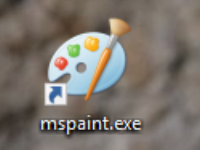

To be able to run Ms Paint (Microsoft Paint) in Windows 10.
Share:

How to Determine the default Windows web browser 10

So when we open / click a link or shortcut website address of a document, PDF, Doc, Xls, shortcut URL etc, and we want to open the link by the browser that we want for example to be opened by Mozilla Firefox, then we must make the browser such as the default browser.

To set the default browser in Windows 10:

1. Right click on Start Menu.
2. Click Control Panel


Share:

How to know the IP address of Windows 10

How to View the Windows Address IP.

To know the IP address (IP address) in Windows 10, same as in previous Windows-Windows, that is through command line / Command prompt, or through Network and Sharing Center menu.

How to find out IP Address via Command line:

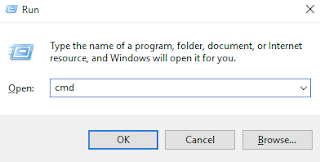
1. Press the Windows + R Logo button (to open RUN command)
2. Write cmd, then click OK or press Enter.

Share:

How to Create Notepad Shortcut on Desktop

In Windows 7 and earlier, Notepad is in the Start menu Accessories category along with MS Paint, Wordpad etc.
In Windows 10 We no longer find Notepad in the All Apps menu (Start menu program).
But although it does not appear in the All Apps menu is actually still there application. We can directly call using Run command or we can we make shortcutnya to be displayed on the desktop or dipin in the taskbar.
Share:

How to Get Music from Video

How to capture audio / music from Youtube.
How to get sound from Video.

How to capture or take music / audio from a Video whether it is a video residing on the computer (offline) or online video from a video streaming site or from a video sharing site.
Share:

Return To The Local Windows 10 User


With login / sign-in to Windows computer using Microsoft account, surely many advantages offered because the user more easily integrated with services from Microsoft, such as email, onedrive, etc ..

Share:

How to setting Proxy in Microsoft Edge

Bagaimana cara setting Proxy di browser Microsoft Edge.
The Microsoft browser in Windows 10 is no longer Internet Explorer, but its name is Microsoft Edge.
On certain network services or certain applications that require setting the Proxy server, for Microsoft Edge browser is currently not available directly to the menu to go to proxy settings. (Different from Internet Explorer existing menu Internet Options to go to proxy settings).

Share:

Total Tayangan Halaman

Translate

Artikel Terbaru